
Affiliate Disclosure: As an Amazon Associate, Easy Smart Seniors earns from qualifying purchases. This page contains affiliate links, meaning we may earn a small commission at no additional cost to you.
Medical Disclaimer: Content on this site is for informational purposes only and does not substitute for professional medical advice or devices. Always consult a healthcare provider for medical concerns.
As our parents get older, finding the right balance between safety and personal dignity is a top priority. Many adult children wonder: Should I buy my mom or dad a modern Apple Watch SE with fall detection, or should I stick with a traditional medical alert system?
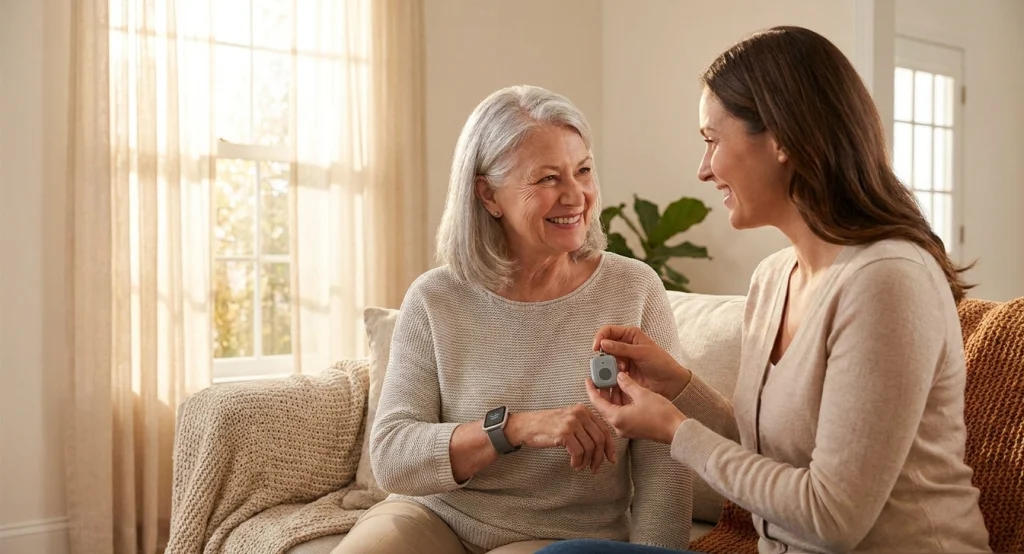
apple watch vs medical alert system for seniors fall detection comparison.
On paper, the Apple Watch SE looks like the ultimate modern solution. It offers automatic fall detection, emergency SOS calling, heart rate tracking, and a sleek design that carries no medical “stigma.”
However, dedicated medical alert systems—such as mobile GPS pendants and specialized smartwatches—are engineered with one single purpose: 24/7 life-saving emergency response.
So, which device is actually better for your aging parents? In this 2026 head-to-head comparison, we analyze fall detection accuracy, emergency response protocols, battery longevity, ease of use, and overall costs to help you make the safest decision.
Quick Summary: Which One Should You Choose?
- 🏆 Choose the Apple Watch SE if: Your parent is active, tech-comfortable, already uses an iPhone, and wants a stylish daily smartwatch for health, fitness, and basic fall detection without mandatory monthly monitoring contracts.
- 🛡️ Choose a Dedicated Medical Alert System if: Your parent has severe mobility issues, a history of falls, cognitive decline/dementia, or needs instant connection to a certified 24/7 US-based emergency dispatch center at the push of a single button.
Side-by-Side Comparison: Apple Watch SE vs. Medical Alert System
| Feature / Metric | Apple Watch SE (GPS + Cellular) | Dedicated Medical Alert System |
|---|---|---|
| Primary Focus | General Fitness, Health & Smart Features | 24/7 Life Safety & Emergency Dispatch |
| Fall Detection | Built-in (Requires setup via iPhone) | Medical-Grade Sensors (Optimized for Seniors) |
| Emergency Connection | Dials 911 or Family Emergency Contacts | Connects to 24/7 Certified Dispatch Agents |
| Battery Life | 18 to 24 Hours (Requires Daily Charging) | Up to 3 to 7 Days (Depending on model) |
| Ease of Use | Moderate (Touchscreen, Apps, Swiping) | Ultra-Simple (Single Large Panic Button) |
| Water Resistance | Water Resistant (50m – Shower/Pool Safe) | Waterproof / Shower-Safe Pendants |
| Monthly Subscription | None (Cellular carrier fee optional: ~$10/mo) | $20 to $45/month (Includes 24/7 Monitoring) |
| Amazon CTA | Check Apple Watch Price on Amazon | Check Medical Alerts Price on Amazon |
Feature-by-Feature Deep Dive
1. Fall Detection Accuracy & Trigger Sensitivity
Both devices feature advanced internal accelerometers and gyroscopes to detect hard falls, but they handle the detection differently:
- Apple Watch SE: Designed primarily for active adults. It measures rapid impact followed by one minute of immobility. If no response is recorded, it sounds a loud chime and automatically dials 911 while sending text alerts with GPS coordinates to designated family members.
- Medical Alert Systems: Specifically calibrated for elderly fall patterns, such as slipping in the shower or fainting from a chair. Specialized devices—like those reviewed in our Best Medical Alert Systems with Fall Detection Guide—connect instantly to a live agent who assesses the situation before dispatching 911 or family.
2. Emergency Response: 911 vs. Certified 24/7 Dispatch Centers
This is the biggest structural difference between the two devices:
- Apple Watch SE: Dials local emergency services (911) directly. While 911 is vital for severe trauma, dispatcher agents cannot check in on non-emergency stumbles, answer false alarms gently, or call a neighbor if your parent simply needs help getting up from the carpet.
- Medical Alert Systems: Connect to dedicated TMA Five-Diamond 24/7 monitoring centers. Trained agents stay on the speakerphone, access your parent’s medical profile, and contact designated family members or neighbors first for non-critical incidents—saving unnecessary emergency room bills.
3. Battery Life & Daily Charging Habits
Battery longevity is a crucial safety factor for seniors:
- Apple Watch SE: Lasts 18 to 24 hours. It must be charged every single night. If a senior forgets to charge it or takes it off at night, they are left unprotected during nighttime bathroom trips where falls commonly happen.
- Medical Alert Systems: Standalone mobile GPS pendants last 3 to 7 days per charge, while home-based base units feature long-term power backups.
4. Ease of Use & Accessibility for Older Hands
Senior-friendly design can make or break device adoption:
- Apple Watch SE: Features a small touchscreen, digital crown, and multi-step app menus. It can be challenging for seniors with severe arthritis, tremors, or poor eyesight.
- Medical Alert Systems: Designed around total simplicity—usually a single, extra-large panic button with clear voice prompts.
Real-Life Scenarios: Which Device Fits Your Parent?
Scenario A: The Active, Tech-Savvy Senior
- Profile: Mom is 68, active in her garden, goes for daily walks, and uses an iPhone daily to text her grandchildren.
- Verdict: Apple Watch SE is ideal. She will enjoy heart rate tracking, fitness goals, and sleek styling without feeling self-conscious about wearing a medical device.
- 👉 Check Current Price for Apple Watch SE on Amazon
Scenario B: The Fragile Senior Living Alone
- Profile: Dad is 79, lives alone, has balance issues, takes multiple medications, and struggles with small phone screens.
- Verdict: Dedicated Medical Alert System is essential. He needs 24/7 live monitoring, long battery life, and shower-proof fall detection.
- 👉 Read Our 2026 Guide to the Best Medical Alert Systems
Scenario C: Seniors with Mild Memory Loss or Dementia
- Profile: Parent tends to misplace items or forget daily charging routines.
- Verdict: Dedicated GPS Tracker / Medical Alert. Devices with non-removable fasteners and long battery life offer much better security. Learn more in our guide to the [Best GPS Trackers for Seniors with Dementia].
Frequently Asked Questions (FAQs)
Does the Apple Watch SE require an iPhone to work?
Yes. To set up an Apple Watch SE and enable Fall Detection, you need an iPhone 8 or later. However, using Apple Family Setup, an adult child can set up an Apple Watch for an elderly parent on the child’s iPhone even if the parent does not own a smartphone.
Can Apple Watch replace a medical alert system completely?
For active, independent seniors without major mobility or memory issues, yes. However, for seniors who need dedicated 24/7 professional care monitoring, automatic fall detection in the shower, or multi-day battery life, a dedicated medical alert remains the safer choice.
Is Fall Detection turned on by default on Apple Watch?
If the user’s age is set to 55 or older during setup, Fall Detection turns on automatically. For users under 55, it must be turned on manually in the Apple Watch app settings on the iPhone.
Final Verdict & Recommendation
Both devices provide incredible safety value, but they serve different senior lifestyles:
- If your parent wants an everyday health smartwatch and is comfortable with daily charging, the Apple Watch SE is an incredible value with zero monthly monitoring contracts.
- If your priority is 24/7 emergency dispatch, maximum fall detection reliability, and hassle-free operation, invest in a dedicated Medical Alert System.
Protect your parent’s independence with confidence. Click below to check current prices and caregiver deals on Amazon today:
👉 Check Price on Apple Watch SE on Amazon
👉 Explore Top Medical Alert Systems on Amazon
